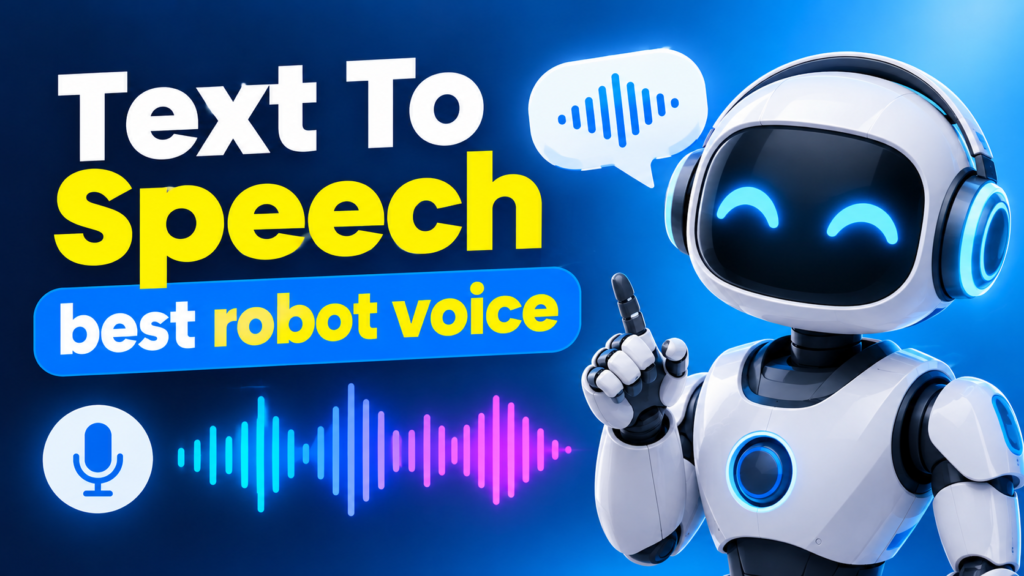
Whether you are producing a faceless YouTube channel, narrating a sci-fi indie game, editing a viral TikTok reel, or simply trying to listen to a long PDF while driving, audio is everything. For years, creators searching for how to create text to speech best robot voice audio were stuck with two frustrating options: clunky, 1990s-style metallic synthesizers that hurt the ears, or enterprise AI platforms that lock your audio behind expensive monthly paywalls and strict character limits.
The landscape of voice synthesis has completely changed. And here is the most interesting part: when people search for the “best robot voice,” they usually fall into one of two camps:
- The Classic Sci-Fi / Retro Camp: Creators who genuinely want that nostalgic, crisp, mechanical droid voice or classic automated computer cadence for memes, gaming, or tech videos.
- The Hyper-Realistic AI Camp: Creators who use the term “robot voice” as shorthand for AI-generated voiceovers, and actually want an ultra-smooth, human-like neural voice with natural breath pauses and emotion.
The good news? You can easily generate both styles in seconds without spending a dime or installing heavy audio software. This guide covers the exact step-by-step process to generate studio-grade text to speech (TTS) audio, compares the best platforms on the market, and reveals a few insider punctuation hacks that make AI voices sound 100% authentic.
What Makes a “Great” Robot or AI Voice?
Before jumping into the tutorial, it helps to understand why some text to speech tools sound flat and glitchy while others sound ready for a Netflix documentary. When evaluating a TTS generator, Google’s quality guidelines and your listeners’ ears care about four main technical pillars:
- Dual-Engine Flexibility (Neural vs. Native): To get both realistic human speech and classic robotic tones, a platform needs to offer Deep Neural AI voices (which predict human prosody, emotion, and breath pauses) alongside Native Hardware Speech Synthesis (which taps into system voices for that classic, crisp robotic read).
- Pitch and Speed Calibration: A true robot voice often relies on a slightly flattened pitch and a faster cadence (1.2x) or a deep, slowed-down mechanical rumble (0.8x). Having granular sliders for speed and acoustic pitch is non-negotiable.
- Audio Fidelity (Sample Rate): Cheap TTS tools compress audio until it sounds muffled. Always look for platforms outputting at a 48 kHz acoustic sampling rate in clean 128 kbps MP3 or uncompressed 16-bit WAVformats so your audio drops straight into Premiere Pro, CapCut, or DaVinci Resolve without peaking.
- Zero Character Quotas: Nothing ruins a creative workflow faster than hitting a “500 characters remaining” paywall halfway through your script.
Top 3 Websites to Create Text to Speech Voices (Compared)
To give you a balanced view of the industry, let’s look at the three best platforms available for generating synthetic and AI voices, starting with the top all-around free powerhouse.
1. Free Text to Speech, Best Overall & 100% Unlimited
If you want professional results without pulling out a credit card or creating an account, Free Text to Speech is hands-down the best tool on the web. Unlike freemium sites that bait you with a trial and then lock your downloads, this platform is $0 Free Forever with unlimited character usage.
Why does it rank #1 for both realistic AI and classic robot voices? Because of its unique dual architecture engine:
- 300+ Neural AI Voices & 100+ Languages: Need a warm American narrator, a crisp British documentary voice,an Indian English explainer, or fluent Spanish, French, or Japanese? Its cloud neural engine streams via ultra-fast Edge WebSockets (~180 ms handshake) to generate lifelike speech with natural emotional contours at 8x to 10x real-time speed.
- 100% Offline Native Mode (For Classic Robot Voices): If you want an authentic, zero-latency robotic or system voice, you can switch to its offline mode. It hooks directly into your device’s native speech synthesis hardware (Windows Speech, Apple Siri voices, Android TTS) with playback starting in under 5 milliseconds.
- Built-In Pitch & Speed Sliders: You can fine tune your pacing from 0.5x to 2.0x and calibrate the acoustic pitch to craft unique character voices, deep cybernetic tones, or energetic TikTok narrators.
- Instant MP3 & WAV Downloads: Every generation gives you an instant, studio-calibrated audio file ready for commercial or personal timelines.
2. ElevenLabs, Best for Hollywood Style Voice Cloning
ElevenLabs is a heavyweight in the paid AI audio space. It is widely known for its emotive storytelling models and the ability to clone your own voice from an audio sample. You can use inline tags like [laughs warmly] or [sighs] to direct the performance.
- The Catch: While the quality is fantastic, the free tier is heavily restricted by monthly character quotas (often capping out after a few short scripts) and requires account registration. If you produce daily videos or long audiobooks, you will quickly be forced into a paid subscription.
3. Canva AI Voice Generator, Best for Quick Social Media Slides
If you are already designing a presentation or an Instagram graphic inside Canva, their built-in AI Voice Generator is a convenient addon. You can type a short script and drop the audio directly onto your Canva video timeline.
- The Catch: It requires logging into a Canva account, locks many of its voice styles behind Canva Pro, and restricts conversions to 1,000 characters per generation making it impractical for full YouTube scripts, e-learning modules, or audiobooks.
Quick Comparison Table
| Feature | Free Text to Speech (free-text-to-speech.com) | ElevenLabs (Free Tier) | Canva AI Voice |
| Price & Sign-Up | 100% Free Forever (No Sign-Up) | Freemium (Login Required) | Freemium (Login Required) |
| Character Limits | Unlimited (Zero Caps) | Capped (5,000–10,000 chars) | 1,000 chars per conversion |
| Voice Library | 300+ Neural AI + Native Device Voices | 100+ Premade + Voice Cloning | Limited Free Selection |
| Languages Supported | 100+ Languages & Regional Dialects | 70–90+ Languages | 20+ Languages |
| Pitch & Speed Control | Yes (0.5x – 2.0x Speed + Pitch Slider) | Stability & Similarity Sliders | Basic Pacing Only |
| Direct MP3 / WAV Export | Yes (48 kHz Studio Quality) | Yes (Requires Credits) | Yes (Inside Video Editor) |
Step-by-Step: How to Create Text to Speech with the Best Robot Voice
Ready to generate your first audio track? Here is how you can create both a hyper-realistic AI narrator and a custom-tuned robotic voice in less than 60 seconds using Free Text to Speech.
Step 1: Prepare and Paste Your Script
Head over to https://free-text-to-speech.com/. You won’t be annoyed by login pop-ups or credit card forms. Simply type or paste your script directly into the main text editor. Because the platform is completely unmetered, you can paste a two-sentence TikTok hook or a 5,000-word audiobook chapter.
Step 2: Choose Your Voice Engine and Persona
Next, browse the voice selector menu. You can filter easily by Language (e.g., English US, UK, Australia, India, or 100+ global languages) and Gender (Male/Female), or search for a specific voice persona by name:
- For a YouTube / Documentary Voiceover: Pick one of the 300+ Neural AI Voices. These models use deep neural networks to inject natural vocal warmth, subtle consonant articulation, and realistic breath pauses.
- For a Classic / Retro Robot Voice: Switch to the Offline Native Engine or pick a crisp, neutral neural voice as your base before adjusting the acoustic sliders in the next step.
Step 3: Dial in the “Robot” or “Studio” Settings (Speed & Pitch)
This is where the magic happens. Use the Speed and Pitch sliders to sculpt your exact sound:
- The Sci-Fi Droid / Cybernetic Effect: Lower the Pitch slider slightly below default and set the Speed slider to 0.9x or 1.15x. Pairing a slightly shifted acoustic pitch with steady punctuation removes human hesitation and creates an awesome, clean synthetic AI assistant vibe.
- The Viral Short-Form Narrator: Keep the pitch natural and bump the Speed slider to 1.1x or 1.2x. This keeps retention high on YouTube Shorts, Instagram Reels, and TikTok.
- Language Study & Proofreading: Drop the speed down to 0.5x–0.8x to hear every single syllable clearly, or speed it up to 2.0x to power-read long articles and PDFs.
Step 4: Generate, Preview, and Download Your MP3
Click the Generate Audio button. Watch the live progress countdown as the engine synthesizes your script at up to 10x real-time speed. Once finished, your track appears in the built-in audio player on the right. Hit play to preview it instantly,and click Download MP3 to save the high-definition 48 kHz audio file straight to your device.
5 Pro Voice Direction Hacks: How to Control AI Pronunciation & Pacing
Even the best neural voice generator reads what you type literally. If you want your text-to-speech audio to sound like it was directed by a professional sound engineer, use these five secret formatting techniques inside the Free Text to Speecheditor:
- Master Micro-Pauses (Commas vs. Ellipses): A comma (
,) creates a quick quarter-second breath. An ellipsis (...) forces the AI to take a dramatic, hesitant pause perfect for suspenseful storytelling or comedic timing. If you want a crisp, mechanical robot cadence, use short sentences separated by periods (.) so the voice resets its pitch after every phrase. - The “Dot Technique” for Initialisms: Sometimes TTS engines try to read acronyms as words (reading “AI” or “UI” strangely, or reading “LED” as “led”). Force the engine to spell out letters individually by placing periods or hyphens between them: type
U.S.A.orAIto guarantee crisp letter-by-letter pronunciation. - Phonetic Syllable Disambiguation: Have a tricky fantasy character name, brand name, or technical term that the voice mispronounces? Spell it out phonetically in your script! For example, if a voice struggles with “Nguyen”, type “Win”; if it rushes through “SaaS”, type “Sass”.
- Shape Pitch Contours with Punctuation: Neural AI voices look ahead at the end of a sentence to determine vocal inflection. Putting a question mark (
?) at the end of a short statement will force an upward, inquisitive pitch inflection, while an exclamation mark (!) increases vocal energy and projection. - The 3-Sentence Cadence Rule:When generating long form narration (like audiobooks or 10 minute YouTube videos), break your paragraphs into chunks of 3 to 4 sentences. This prevents run-on vocal fatigue and gives the neural prosody predictor clear emotional reset points.
Best Use Cases for Free Text to Speech Audio
Why are millions of creators, students, and developers bookmarking free-text-to-speech.com? Here is how different industries use it daily:
- Faceless YouTube, TikTok & Reels Creation: Monetize explainer channels, reddit story channels, tech reviews,and top 10 videos without ever buying an expensive microphone or worrying about background room noise.
- Indie Game Development & Animation: Prototyping dialogue for NPCs, robotic companions, stadium announcers, or tutorial guides across 300+ distinct voices.
- Personal Audiobooks & Productivity: Turn long blog posts, study notes, ebooks, and research papers into portable MP3s you can listen to at the gym or during your commute.
- Accessibility & Assistive Reading: A vital, zero cost lifeline for users with dyslexia, ADHD, visual impairments, or severe screen fatigue who absorb information much better through audio.
- E-Learning & Client Presentations: Rapidly localize corporate training videos or educational courses into over 100 languages and regional accents in minutes.
Frequently Asked Questions (FAQ)
How do I create a text to speech robot voice for free?
Simply visit Free Text to Speech, paste your script into the box, choose from over 300 neural AI voices (or switch to the offline native hardware voice mode for a classic metallic robot effect), adjust the pitch and speed sliders to your liking, and click Generate Audio to download your free MP3.
Is Free Text to Speech really 100% free with no character limits?
Yes! Unlike other TTS websites that restrict you to a few hundred characters or lock MP3 downloads behind a monthly subscription, free-text-to-speech.com has zero character caps, no hidden tiers, and requires no credit card or account sign-up.
Can I use the downloaded MP3 voiceovers for YouTube and commercial videos?
Absolutely. The platform outputs broadcast-ready 48 kHz audio in MP3 and WAV formats that are pre-calibrated for video editing timelines and DAWs, making them ideal for YouTube videos, TikToks, podcasts, and client presentations.
Final Thoughts: Start Generating Your Audio Today
Learning how to create text to speech best robot voice audio doesn’t require an audio engineering degree or an expensive SaaS subscription. Whether you need a classic synthetic droid voice for a creative project or a remarkably lifelike neural narrator that keeps your viewers hooked until the very last second, having the right tool makes all the difference.
Skip the paywalls, character limits, and sign-up forms. Head over to Free Text to Speech (free-text-to-speech.com) right now, paste your first script, and turn your words into studio-quality audio in seconds!